Category: How To

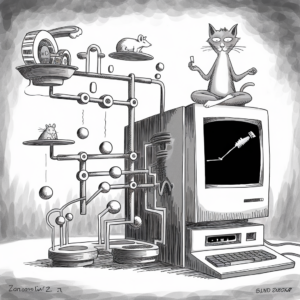
A black-and-white illustration features a humorous and surreal scene. On the right side, an old-fashioned computer displays a graph on its screen, with a cat in a meditative pose perched on top, holding a small device. The left side highlights a complex contraption of pipes and platforms, incorporating mice, balls, and wheels in an intricate, Rube Goldberg machine-style assembly. One mouse is running on a wheel, while another mouse looks down from a platform. The entire setup has a whimsical and imaginative feel, blending elements of technology and playful animal behavior.

Strategies for Effective Content Management on WordPress

Unlock the potential of your WordPress site with a strategic content management approach! Discover how to develop a robust content strategy that aligns with your marketing goals, engage your target audience, and enhance your site’s visibility through effective SEO practices. Learn the importance of keyword research, creating an editorial calendar,
Learn More »
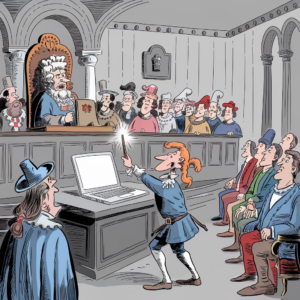
A cartoon illustration set in a historical courtroom. A man in period clothing, standing in front of a judge and jury, dramatically points a glowing wand at a modern laptop on a table. The judge, seated on an ornate chair with a powdered wig, looks surprised. The jury, consisting of men in medieval attire, is watching attentively. The scene humorously blends elements of the past with present-day technology.

How to Fix White Screen of Death (WSoD) in WordPress

The White Screen of Death in WordPress often stems from memory limits and conflicting plugins or themes. Learn how to tackle this frustrating issue by identifying root causes through debugging and error logs. With targeted troubleshooting—like clearing cache or restoring backups—you can quickly bring your site back to life and

Learn More »
A cartoon image depicts a knight standing in front of a large wooden sign suspended from a tree by ropes. The sign features the WordPress logo. The knight appears puzzled, scratching his helmet with his left hand while holding a sword in his right hand. An owl perched on a book at the base of the tree observes the scene. The illustration is in grayscale with a detailed outdoor background.

How to Fix Syntax Errors in WordPress

Encountering syntax errors while coding can be frustrating, but understanding their causes and solutions is key to becoming a proficient programmer. From missing punctuation to mismatched quotes, these seemingly minor mistakes can halt your code’s execution. In our comprehensive guide, we delve into common syntax errors across various programming languages,

Learn More »
A black and white illustration depicts a wizard in a medieval outfit, complete with a pointed hat and a cloak, standing in front of a modern computer. The computer screen displays an error message with the words "Error! Fault! Error! Error! Malfunction!" The wizard is holding a small object in his hand that resembles a USB stick with a distressed face on it. The scene combines elements of fantasy and technology, including potions, vials, and mystical items placed around the desk. A glowing crystal ball is held by a mysterious hand emerging from the background. The overall mood is a humorous take on the clash between magical elements and modern technology.

How to Fix Admin Login Issues in WordPress

Are you struggling to access your WordPress admin panel? You’re not alone! Admin login issues can arise from lost passwords, plugin conflicts, or even security breaches. Fortunately, there are effective solutions to regain control of your site. From utilizing built-in password reset features to troubleshooting plugins and themes, our comprehensive

Learn More »
A cartoon illustration depicts a beaver in a forest standing in front of a large server rack, working on the wires. Several concerned-looking squirrels are gathered around, holding cell phones, seemingly upset or confused by the situation. The scene combines natural woodland elements with modern technology, creating a humorous juxtaposition.

How to Fix 502 and 504 Gateway Errors in WordPress

Encountering a 502 or 504 Gateway Error can be frustrating, signaling a breakdown in communication between servers. These errors often stem from issues like server overload, DNS problems, or faulty network devices, leaving users unable to access their favorite websites. But fear not! Our comprehensive guide delves into the causes

Learn More »
Cartoon of a courtroom scene: A judge at the desk is angrily holding a giant smartphone displaying an unread message notification. Below, a group of lawyers and officials, dress in medieval attire, are surrounded by modern technology like laptops, tablets, and email papers. Some are shocked, others are engaged in discussions, and a jester with a laptop is present. A dove carrying a letter flies in the air.

How to Fix Email Notification Failures in WordPress

Are your WordPress email notifications going unnoticed? Discover the common pitfalls that can hinder email deliverability and learn how to fix them effectively. From misconfigured settings to plugin conflicts, understanding the root causes is essential for maintaining seamless communication with your users. Dive into the world of SMTP configuration, email

Learn More »
A black-and-white cartoon depicts a caveman carving symbols, including the WordPress logo, into a large stone slab using a chisel and hammer. Another caveman stands to the side, holding a laptop and looking content. The scene comically blends ancient and modern elements, highlighting the evolution of writing and web design.

How to Fix Plugin and Theme Update Issues in WordPress

Troubleshooting Update Issues: Discover the key to solving common WordPress update problems and maintaining site functionality. From identifying error messages to resolving conflicts, learn essential techniques to keep your website running smoothly. Dive into the world of manual updates, advanced troubleshooting, and security patches to ensure your site remains secure

Learn More »
A black-and-white cartoon illustration of a turtle and a sloth in a natural setting. The turtle is sitting at the base of a tree, wearing a suit and using a laptop. The sloth is hanging from a tree branch above, holding out a can with "RNB" written on it. In the background, there are hills and trees. The turtle is looking up at the sloth, appearing slightly annoyed.

How to Fix Slow WordPress Admin Dashboard

Discover how to transform your WordPress admin dashboard from sluggish to lightning-fast. Uncover the secrets to diagnosing and fixing high CPU usage, optimizing databases, fine-tuning plugin performance, and implementing cutting-edge techniques like content delivery networks and object caching. Say goodbye to slow loading times and hello to a seamless admin

Learn More »
A fantastical and chaotic scene depicted in a black-and-white illustration. In the foreground, a group of people holding wrenches and tools are running towards a gigantic computer error message displaying "500 error muny" with a button labeled "Babgv". A man in front is using a wrench to seemingly attempt to fix the error. In the background, villagers are fleeing in panic from a fire-breathing dragon that is burning down several houses. Above the scene, a large armored knight is seated in a meditative lotus position, serene and detached, while hovering in the sky amidst clouds. The illustration is a blend of medieval and modern elements, creating a humorous and surreal scenario.

How to Fix Internal Server Errors in WordPress

Discover the secrets to resolving WordPress errors and optimizing your website’s performance! From navigating .htaccess files to mastering server configurations, this comprehensive guide delves into the intricate world of web management. Learn how to troubleshoot internal server errors, increase PHP memory limits, and debug WordPress effectively. Uncover the importance of

Learn More »
403 error

What Is 403 Error In WordPress?

Has your WordPress site ever been hit with a 403 Forbidden Error? This specific type of HTTP status code can be frustrating and confusing, but understanding its causes and how to troubleshoot it is critical for restoring access to your site. From examining file permissions to inspecting the .htaccess file

Learn More »

Categories

Trending posts