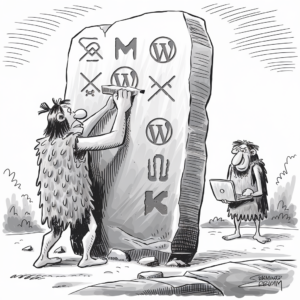
The WordPress Philosophy and Its Impact on Democratizing Publishing
WordPress has revolutionized how content is created and shared on the internet, significantly contributing to democratizing publishing. At the core of its philosophy, WordPress fosters an inclusive environment that breaks down barriers to publishing online.
WordPress: More Than Just a Blogging Platform
Initially conceptualized as a blogging platform, WordPress quickly evolved into a comprehensive content management system capable of powering diverse websites. It has expanded beyond a simple tool for bloggers to a robust platform that supports everything from e-commerce to social networks. This versatility has allowed millions to establish an online presence without extensive technical expertise.
The Four Freedoms and Open Source Project’s Role
WordPress firmly stands on the principles of open-source software, characterized by the Four Freedoms: the freedom to run the program for any purpose, to study and change the software, to redistribute copies, and to distribute modified versions. These freedoms have encouraged a massive community of contributors who enhance and expand the WordPress platform, ensuring it remains free and accessible.
Matt Mullenweg, Mike Little, and the Birth of WordPress
Built on the efforts of Matt Mullenweg and Mike Little, WordPress emerged from a desire to improve and fork an existing open-source blogging software. It has since become a global phenomenon, underscoring the WordPress mission to democratize publishing. By adhering to the General Public License (GPL), WordPress ensures that it and any derived works remain free and open, honoring the philosophy set forth by its founders.
Community Engagement and the Growth of WordPress
The WordPress community thrives on active engagement and contributions that foster continuous growth. This ecosystem is fueled by gatherings, dedicated individuals, and everyday users, each playing a crucial role in making WordPress an open place for diverse voices in digital publishing.
WordCamps and Meetups: Gathering Places for Enthusiasts
WordCamps and meetups are the cornerstone of community engagement, where enthusiasts converge to share knowledge, network, and collaborate. These events, from local gatherings to international conferences, embody the spirit of diversity and community power. They are critical in connecting the WordPress community, offering a stage for users of all backgrounds to learn and contribute.
- WordCamps: These officially sanctioned events are informal, community-organized sessions that cover everything from primary usage to advanced techniques.
- Meetups: Regularly occurring, localized sessions provide platforms for users and contributors to unite and strengthen their local WordPress community ties.
WordPress Contributor Teams and the WordPress.org Platform
Contributor teams are the heart of WordPress development, overseeing various aspects such as core code, design, mobile, accessibility, and more. By participating through the WordPress.org platform, these teams enable anyone interested in WordPress to contribute, shaping the tool in line with the community’s needs. The inclusive nature of these teams reflects a commitment to maintaining an open-source ethos and embracing collaborative efforts.
- Core: Devoted to developing and enhancing the leading software.
- Polyglots: They work on translating WordPress into many languages, emphasizing inclusivity.
How Everyday Users Amplify WordPress Development
Everyday users are integral to WordPress’s democratization of publishing, not just as consumers but as contributors, by providing feedback, creating content, and developing custom solutions. They represent the true power of the WordPress community, proving that an open-source project can thrive through widespread participation and collective improvement efforts.
- Feedback Mechanisms: Surveys, forums, and beta testing invite users to share their experiences and insights.
- Content Creation: Users create diverse content, showcasing the adaptability and breadth of WordPress.
Through the synergy of WordCamps, meetups, dedicated contributor teams, and the vibrancy of everyday users, WordPress continues to offer a powerful open-source platform that champions diversity, empowerment, and community engagement.
WordPress in the Ecosystem of Web Publishing
WordPress has evolved from a simple blogging platform to a comprehensive ecosystem that supports various web publishing needs. It serves as a cornerstone in the web publishing sphere, offering tools, resources, and a community that empowers individuals and businesses to share their content with the world.
From Bloggers to Businesses: A Platform for All
WordPress began as a tool for bloggers but has burgeoned into a versatile platform that caters to all kinds of online publishing. Bloggers find simplified content management and expressive tools at their disposal, while businesses leverage the platform’s extensibility for e-commerce, customer engagement, and more. This expansion has transformed WordPress into a pivotal part of the publishing ecosystem, enabling diverse content creators to easily establish their online presence.
WordPress.com and Automattic: Expanding the Reach
Automattic, the company behind WordPress.com, has extended WordPress’s reach beyond self-hosted installations. Through WordPress.com, users are offered various hosting plans, ranging from free options for casual bloggers to sophisticated packages for large enterprises. This approach has democratized web publishing, making it accessible without the need for technical expertise in hosting and maintenance.
Themes, Plugins, and APIs: Extending Functionality
WordPress’s adaptability is largely due to its vast array of themes and plugins, which allow users to customize the look and functionality of their websites with relative ease. Moreover, developers can hook into WordPress’s functionality through APIs to create even more specialized features. With thousands of plugins and themes available, the capacity to expand and evolve a website is virtually limitless, further solidifying WordPress’s status as a key driver in the democratization of web publishing.
Design and User Experience: Making WordPress Accessible
WordPress is celebrated for its commitment to accessibility, ensuring that everyone can use the platform effectively regardless of ability. From its user interface (UI) innovations to its inclusivity in web design, WordPress allows designers and developers to contribute to a more accessible and democratic publishing platform.
UI/UX Innovations: The Gutenberg Editor
The Gutenberg Editor represents a significant stride in user-friendly design within WordPress. As an innovative block editor, it simplifies content creation with an intuitive interface for all levels of users. Designers and developers praise Gutenberg for its flexibility and coherence, which empower users to build rich layouts without deep technical knowledge.
Accessibility and Inclusivity in Web Design
Accessibility is a core principle of WordPress, influencing design decisions to cater to all users. WordPress aims to comply with the Web Content Accessibility Guidelines (WCAG), making every part of a website navigable by anyone. Features like keyboard navigation and text-to-speech are introduced in WordPress to ensure that website content is not only reachable but usable by individuals with different disabilities.
- Features that enhance accessibility:
- Keyboard shortcuts
- Text-to-speech options
- Color contrast adjustments
- Large font sizes
The Role of Designers and Developers in Shaping WordPress
Designers and developers play a crucial role in shaping the WordPress core, keeping innovation and accessibility at the forefront. They are tasked with creating themes and plugins that adhere to WordPress’s high standards for accessible design, making every website built on the platform potentially user-friendly and inclusive. By prioritizing these principles, the community collectively pushes WordPress toward a future where publishing is truly democratized.
WordPress and the Broader Internet Landscape
WordPress’s role in the online ecosystem extends to fostering e-commerce growth and maintaining a secure, open web. This platform’s ability to integrate with various online services and its commitment to an accessible internet echoes through its milestones and acquisitions.
Integration with Online Services and E-commerce
WordPress has significantly shaped the internet by integrating various online services, transforming it into a versatile tool beyond simple content management. Central to this integration is WooCommerce, a powerful e-commerce plugin that turns any WordPress site into a fully functional online store. Factually, e-commerce landscapes are rapidly evolving, and WooCommerce has positioned WordPress as a frontrunner in this sector, facilitating a seamless bridge between content and commerce.
Security and Maintenance in an Open Web Environment
Security and maintenance are paramount in the open web environment. WordPress emphasizes regular updates and a robust community-driven approach to safeguarding websites. A collective of developers and users contribute resources, nurturing a safe environment where everyone has the freedom to publish securely. WordPress’s dedication to security is critical in an era when threats to the open web are increasingly sophisticated.
Major Milestones and Acquisitions
The WordPress ecosystem is marked by significant milestones, such as the acquisition of Tumblr, which reflects WordPress’s expanding influence. These strategic moves, combined with the adoption of WordPress by noteworthy entities like The New York Times, demonstrate the platform’s pivotal role in promoting free and open-source publishing on the internet. Each acquisition and milestone reinforces WordPress’s commitment to democratizing the publishing landscape, ensuring the platform remains relevant and resilient amidst the ever-changing digital terrain.