Category: Glossary

open source

What is Open Source in WordPress?

WordPress is more than just a website platform – it’s a shining example of the power and potential of open-source development. Its ethos is one of collaboration, transparency, and freedom, with users and developers alike benefiting from its flexible and evolving platform. From its humble beginnings as a blogging software fork back in 2003, WordPress has grown into a worldwide phenomenon, powering a significant percentage of the internet and fostering a vast community of contributors. Discover more about the philosophy of open source, the GPL license that ensures WordPress and its derivatives remain free and open, and how you can get involved in contributing to this global movement.


Read More »
blog template

What is a Blog Template in WordPress?

Creating a successful blog involves much more than just writing great content. It also requires careful consideration of the blog template or WordPress theme, customization options, user experience, and search engine optimization. With a wide range of themes available, it’s crucial to carefully analyze the features of each one and select the one that best caters to your unique needs. In addition to choosing the right theme, optimizing your site for SEO, incorporating multimedia elements, and interacting with your audience are all crucial steps to building a successful blog. Whether you’re just starting or looking to enhance your current blog, this comprehensive guide has all the information you need to get started.

Read More »
blog post

What is a Blog Post in WordPress?

Crafting a successful blog post involves more than just writing. It requires strategic planning of both textual and visual elements to engage readers and optimize search engine visibility. With WordPress, creating and publishing quality content has never been easier. From a clean dashboard providing quick access to essential functions to advanced features for customizing blog designs and engaging with audiences, WordPress offers all tools required for a successful blogging experience. Whether you’re a beginner or an experienced blogger, this guide provides comprehensive steps for crafting your first blog post, writing effective content, and optimizing for SEO, enhancing readability and user engagement, and utilizing advanced WordPress features.

Read More »
author page

What is an Author Page in WordPress

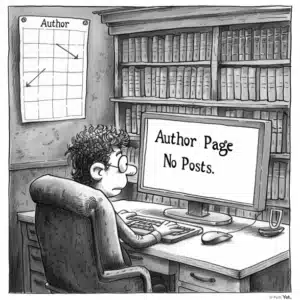
Unlock the potential of individual contributors by creating a hub for their content with WordPress author pages. Personalize the author’s profile with a bio, photo, and links to their social media profiles to establish transparency and build trust. A well-crafted author page can enhance your website’s SEO performance, with benefits that extend beyond improved rankings. Explore the various components and customization options available to offer visitors a comprehensive view of your contributor’s contributions. From integrating author information to optimizing for a better user experience, discover how SEO best practices can help build author credibility and establish your website as a reliable source of information.

Read More »
attachment page

What is an Attachment Page in WordPress?

Are you fully utilizing WordPress’s attachment pages? These dedicated pages for individual media items, such as images and videos, can enhance your website’s functionality and organization. From customizing templates to optimizing for SEO, there are various ways to make attachment pages work for you. Learn how to better manage and organize your media files, and discover advanced features like image attachment galleries and downloadable attachments. Don’t overlook the potential value of attachment pages in your website’s ecosystem. With the right techniques, you can streamline media presentation or create engaging pages that showcase your content.

Read More »
wordpress admin email

What is an Admin Email in WordPress?

Are you struggling with managing your WordPress site’s admin emails? Understanding the pivotal role of the admin email address is integral to maintaining a well-functioning site. From updates and security alerts to comment moderation requests, this email address is critical for receiving essential notifications. But how do you configure the settings for optimal functionality and avoid common issues such as email deliverability and lost credentials? This comprehensive guide covers everything you need to know about managing your WordPress site’s admin email, from basic configuration to advanced management strategies and leveraging plugins for custom email solutions. Dive in to take control of your email communications today!

Read More »
passwords in wordpress

What is Password Protection in WordPress?

Are you worried about keeping your WordPress website secure and guarding against unauthorized access? Look no further than password protection. With built-in settings and plugins offering advanced options, password protection allows administrators to easily manage content access and control who can view sensitive information. Discover the different levels of password protection available, from securing individual posts and pages to restricting access to the entire site. Learn the best practices for password management and the impact on SEO and user experience. Enhance the functionality and management of your protected content with integrations with WordPress features and tools.

Read More »
theme options

What is Default Theme in WordPress?

Looking to build a website but not sure where to start? Look no further than WordPress default themes. These turnkey, professional-looking themes offer consistent design and good SEO practices, making them a solid foundation for any website. With annual updates and a range of customisation options, WordPress default themes are ideal for beginners and experienced users alike. In this comprehensive guide, you’ll learn how to select, install, and customise themes to meet your specific needs. From image compression to child themes and plugins, this guide covers everything you need to know to optimise your WordPress website and stand out from the crowd.

Read More »
plugin repository's

What is a Plugin Repository in WordPress?

If you’re a WordPress user, you’re probably familiar with plugins and how they make your site more functional and customisable. But have you ever wondered where to find trusted plugins, how they’re created and maintained, or how you can contribute to their growth? Look no further than the WordPress Plugin Repository. This official directory provides a vast library of free and open-source plugins, each with useful details such as user ratings, installation instructions, and security practices. As a developer or plugin user, familiarising yourself with the Repository’s guidelines, licensing, and community can amplify your WordPress experience and potentially even lead to business growth.

Read More »
Domain Registrar

What is a Domain Registrar?

Understanding the intricacies of domain registration and management is crucial for building a strong online presence. From selecting a unique domain name to configuring DNS settings and ensuring website security, every aspect plays a significant role in the accessibility, visibility, and credibility of your website. This comprehensive guide covers everything you need to know about domain registration and management, from the role of domain registrars and the importance of SSL certificates to selecting the right domain name and hosting provider. Whether you are a first-time buyer or a seasoned domain owner, this guide is your go-to resource for establishing a successful online presence.

Read More »
What is an HTML Editor in WordPress

What is an HTML Editor in WordPress?

Do you want more control over the structure and design of your WordPress website? Look no further than the built-in HTML editor. With direct access to HTML tags and styles, media management, and complex customization features, you can tailor your website to your precise needs. Learn how to add custom HTML blocks, modify existing HTML, and even edit theme files directly. And with the integration of CSS and JavaScript, you can create visually appealing and interactive pages. Don’t let your website be limited by the basics of the visual editor. Take your content to the next level with the powerful WordPress HTML editor.

Read More »
featured content

What is Featured Content in WordPress?

Featured content is an essential tool for enhancing the aesthetic appeal and user engagement of any WordPress website. By spotlighting selected posts or pages, it optimizes user interaction and encourages visitors to explore the site more thoroughly. Beyond simply drawing attention to key areas of the website, featured content can significantly impact the site’s navigation, aesthetics, and overall user experience. To create an engaging featured content area, users can select a WordPress theme that supports this functionality and use plugins to enhance display options further. Advanced customization, including custom post types and taxonomies, offers precise control, allowing users to specify the content to be featured seamlessly.

Read More »